
If you have two or more printer installed on windows 7, you can set any one of them as your default printer. The default printer will be used by windows 7 and other programs to print any document. If you wish to use any other printer then default one, you can change the printer at time of print command.
Here is how you can change the default printer in windows 7.
Step 1:
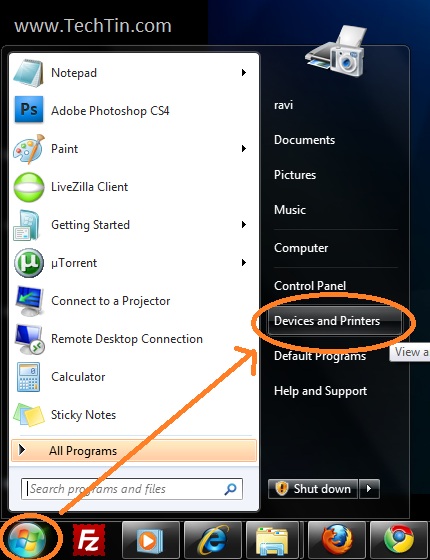
click Start button and then click Devices and Printers.
Step 2:
Devices and Printers page will open.
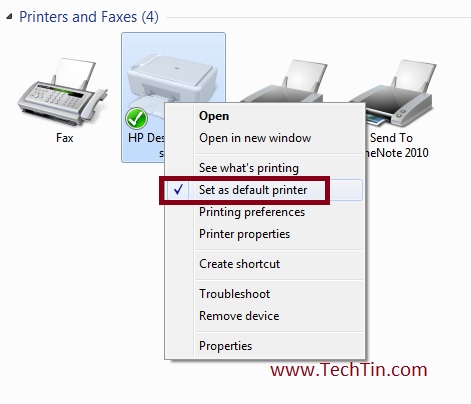
Right-click the printer you want to use as default printer, and then click Set as default printer. You’ll see a green check mark on the printer’s icon signifying that it’s now your default printer.
Done, you have changed your default printer. You can change the default printer any number of times.