
A very quick tip to enable disable transparency in windows 7.
Step 1:
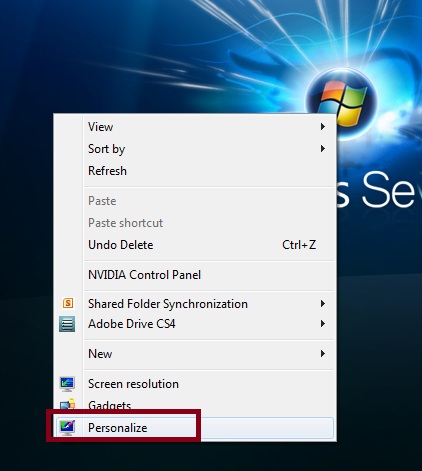
Right click on any empty area on desktop and select “Personalize“.
Step 2:
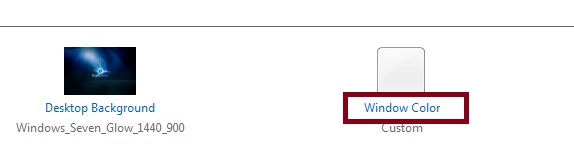
Click “Windows Color” Link.
Step 3:
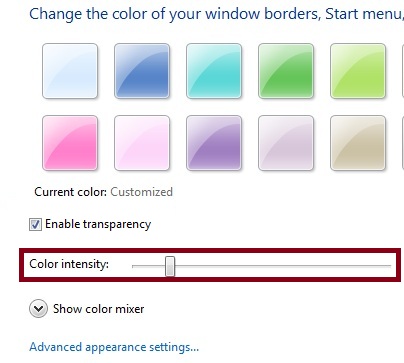
Check box “Enable Transparency” to enable transparency in windows 7.
Un-check box “Enable Transparency” to disble transparency in windows 7.
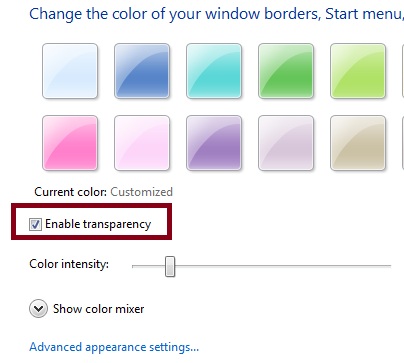
You can also increase / decrease transparency intensity using the slider.
Note:
Disabling transparency will not disable Aero theme. If your system has low memory, its advised to disable transparency to improve windows 7 performance.