

Twitter has officially launched a tool names Share Bookmarklet using which you can tweet any webpage from any browser.
Share Bookmarklet tool works in all major browsers like IE, Firefox, Chrome, Opera and it is easy to install.
How to install Share Bookmarklet twitter tool
Open any browser on which you want to install Share Bookmarklet. Open this page.
Find “Share on Twitter” button. Now drag this button to browser Bookmarks Bar.
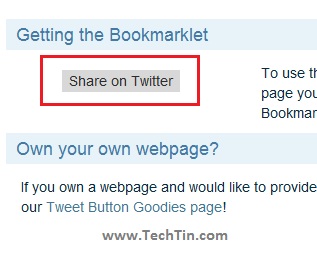
Done !! you have installed Share Bookmarklet on that browser.
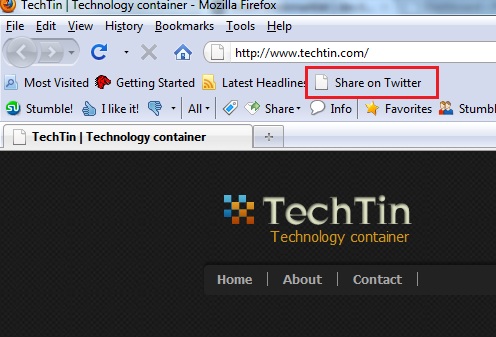
Share on Twitter installed in Firefox.
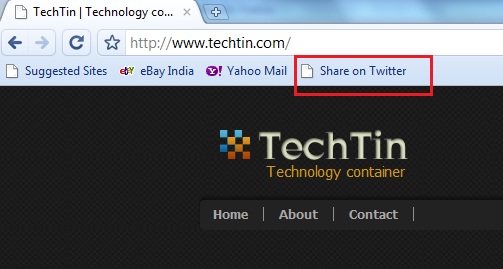
Share on Twitter installed in Google Chrome.
How to install Twitter Share Bookmarklet in IE
Drag and drop Share on Twitter button method should also work in IE. But for any reason, if you are unable to install here is how you can do.
Open this page in IE and click “Add to favorite Bar” button.
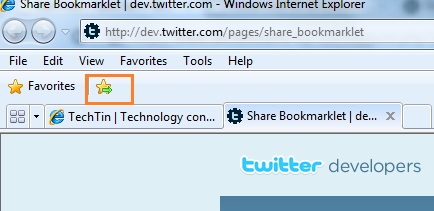
Now right click the bookmarked link and select “properties”.
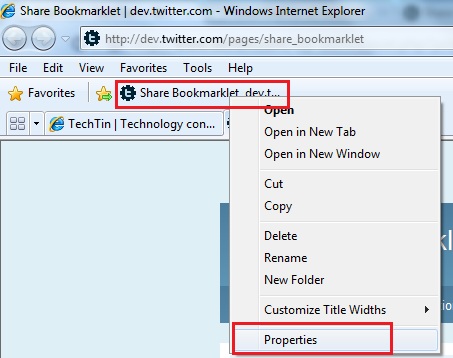
Delete the existing url.
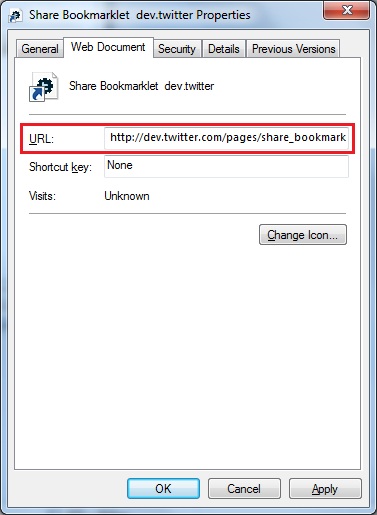
And add following code in url.
javascript:(function(){window.twttr=window.twttr||{};var D=550,A=450,C=screen.height,B=screen.width,H=Math.round((B/2)-(D/2)),G=0,F=document,E;if(C>A){G=Math.round((C/2)-(A/2))}window.twttr.shareWin=window.open('http://twitter.com/share','','left='+H+',top='+G+',width='+D+',height='+A+',personalbar=0,toolbar=0,scrollbars=1,resizable=1');E=F.createElement('script');E.src='http://platform.twitter.com/bookmarklets/share.js?v=1';F.getElementsByTagName('head')[0].appendChild(E)}());
Ignore warning message and save the url. Done, you have installed Share Bookmarklet in IE.
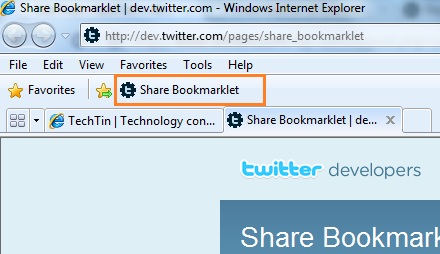
How to tweet a webpage using Share Bookmarklet
Just click the Share on twitter link and start tweeting.