
By default Windows 7 hide file extensions of files like .txt .pdf .jpg .doc etc.
But some users may want to show file extensions.

You can show / hide file extension of files in Windows 7. Method is same as in previous versions of Windows.
- Open Computer Explorer
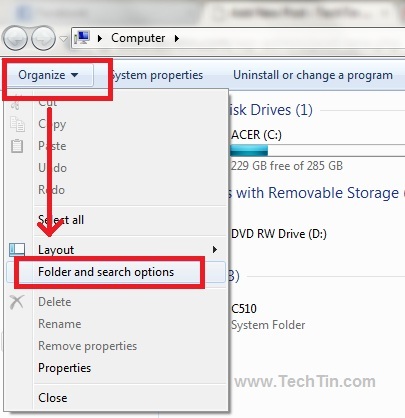
- Click the Organise button located in the top left of the explorer and then click Folder and search options.
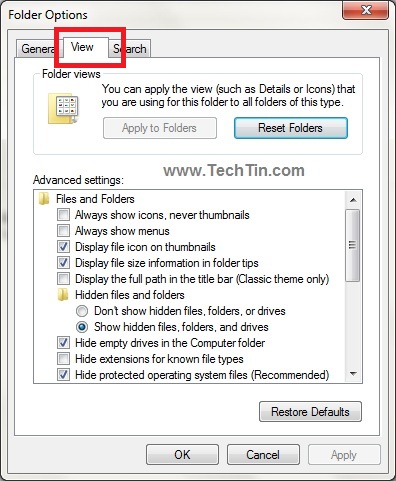
- Click view tab.
- Check option “Hide Extensions for known file types” to hide file extensions. Uncheck this option to show file extensions.
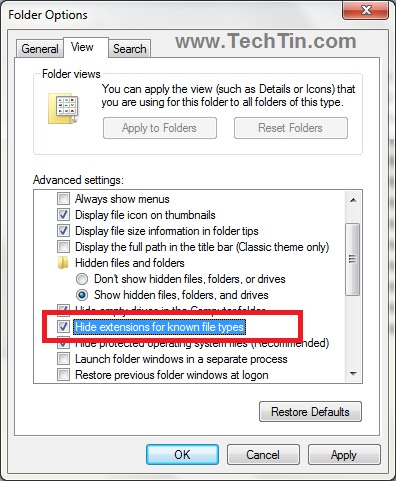
Click Apply and then OK button.