
27
Feb
2010

Know how many times you have visited a website in firefox

Posted in: Browser No Comments

This is very helpful feature of firefox. You can see how many times you have visited any website in firefox browser.

Steps 1:
Open the website in firefox that you want to check. Here I am opening techtin.com

Step 2:
Navigate to: Tools >> Page Info
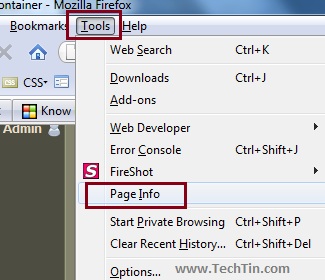
page info in firefox

Step 3:
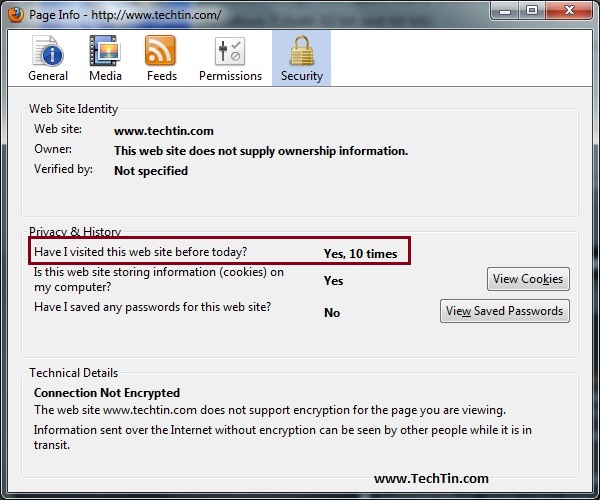
Click on Security tab.
Here you can see how many times you have visited that site.
7

We Recommend

About the Author

Name: Ravi Shekhar
Nothing much about me. I just love playing with gadgets and windows.

Leave a Reply

Your email address will not be published. Required fields are marked *

*

You may use these HTML tags and attributes: <a href="" title=""> <abbr title=""> <acronym title=""> <b> <blockquote cite=""> <cite> <code> <del datetime=""> <em> <i> <q cite=""> <strike> <strong>